TipTip Revamp
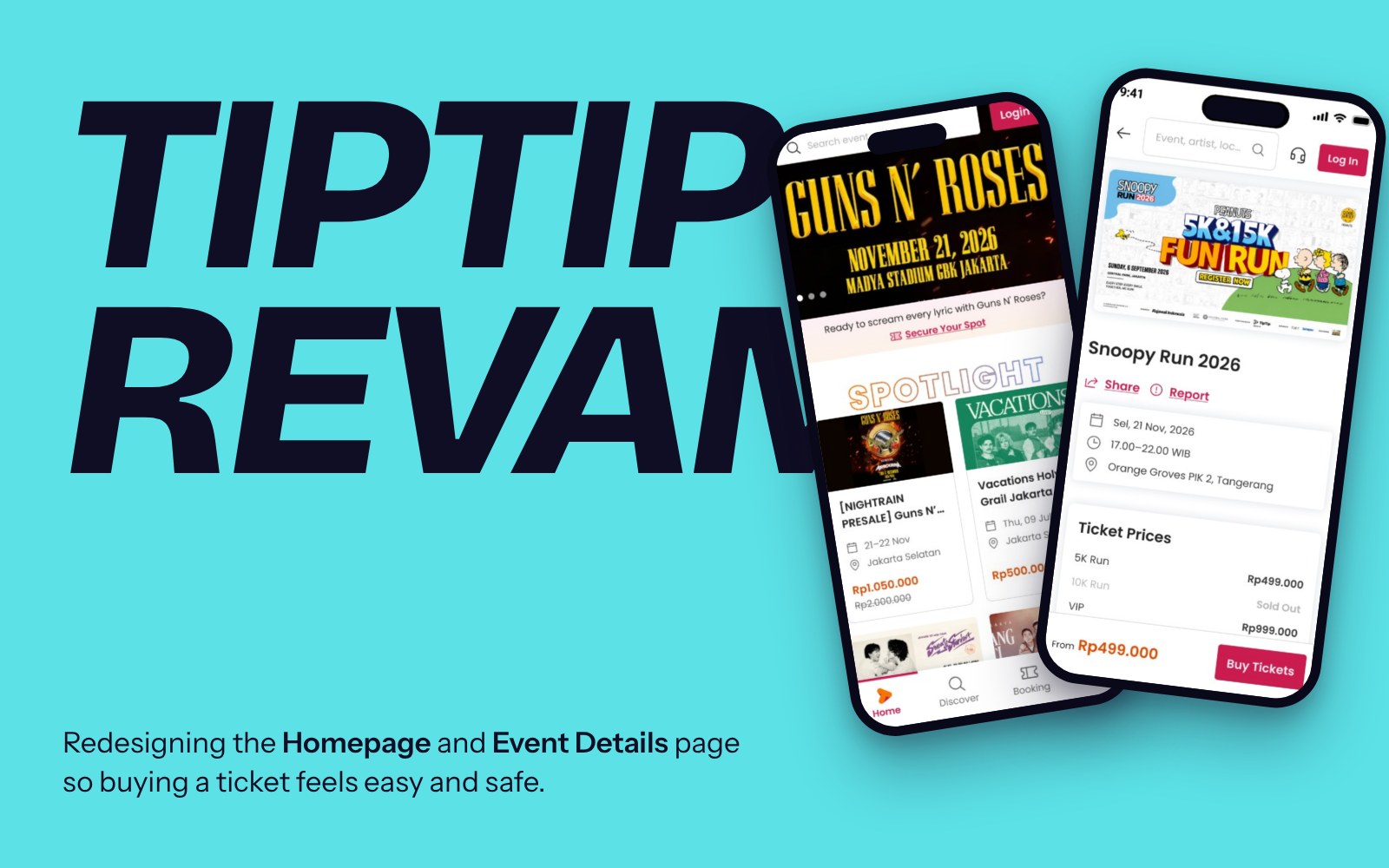
Redesigning the Homepage and Event Details of an Indonesian ticketing platform, so buying a ticket feels easy and safe.
A ticketing site that still looked like a marketplace.
TipTip started as a creator marketplace. Digital content, live sessions and subscriptions have since been shut down, and events are the only thing left. The website never caught up: it still looked and spoke like a marketplace.
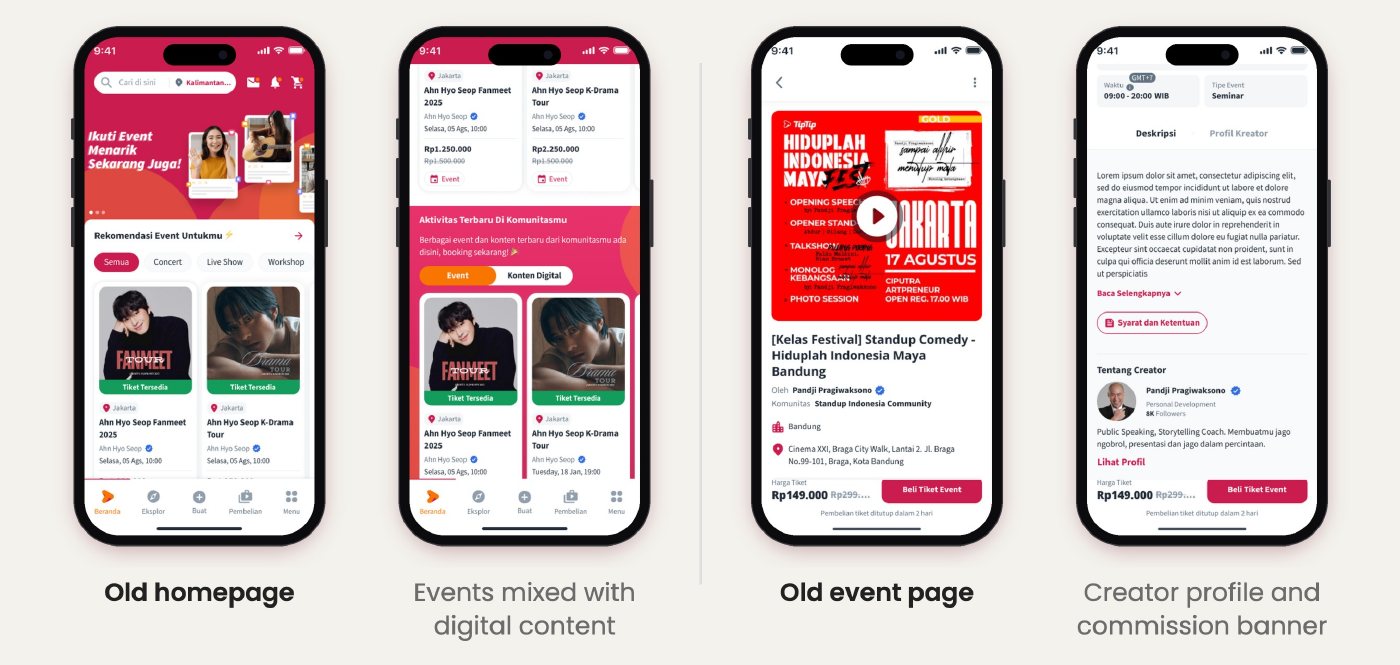
Everything here is a screenshot. TipTip’s Figma files, documents and research notes are confidential.
Make buying the ticket easy and safe.
Every participant already knew which event they wanted before opening a ticketing site. So the site’s job is simple. We set three goals:
- Look and sound like an event ticketing platform
- Everything needed to decide, on one page
- Plan for every situation, from sold out to cancelled
A system first, then pages, then proof.
I worked from the PM’s PRD with the design team and engineering, through benchmark, exploration, self-review, usability testing, then a build review against staging.
Seven buyers, one clickable prototype.
I led one-on-one usability tests with 7 ticket buyers, 4 on mobile and 3 on desktop: 60 minutes each, 6 tasks from signing up to picking a ticket. Payment wasn’t part of it, so the numbers show direction rather than proof.
“Seeing this prototype, it finally feels like an event ticketing platform. The old one was all mixed up.” Danny, existing TipTip user
What I designed, and why.
Real events first, marketplace leftovers out
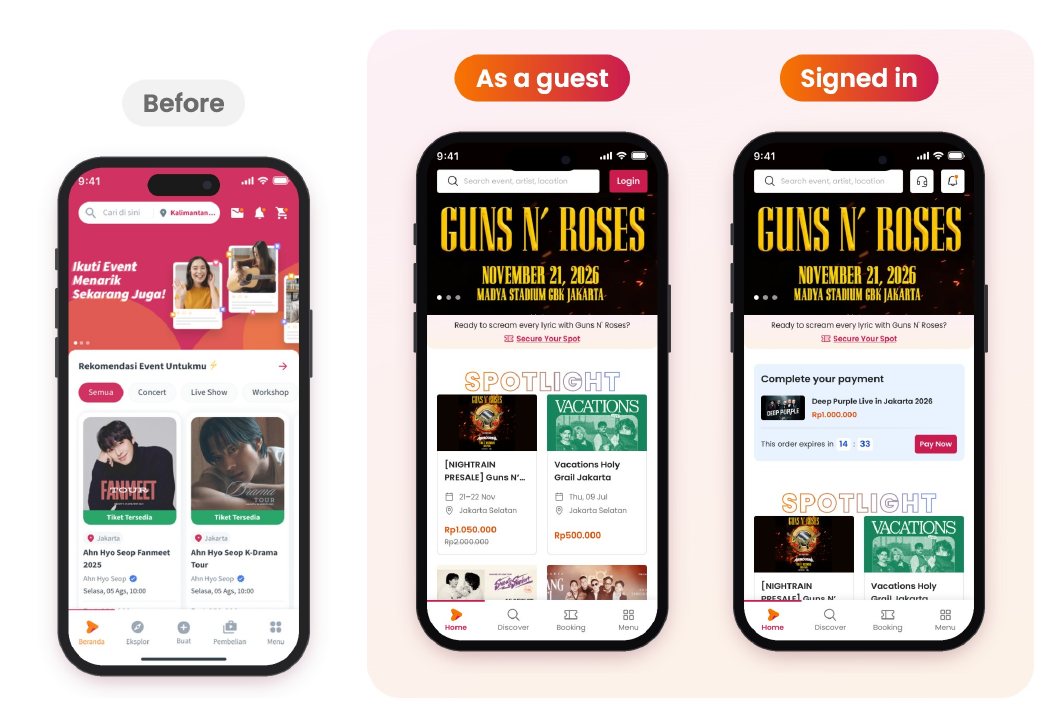
Most buyers land on mobile straight from Instagram or TikTok. The homepage now opens with a big banner and six Spotlight picks. Create and digital content are gone from the buyer’s path.
The homepage changes with the visitor
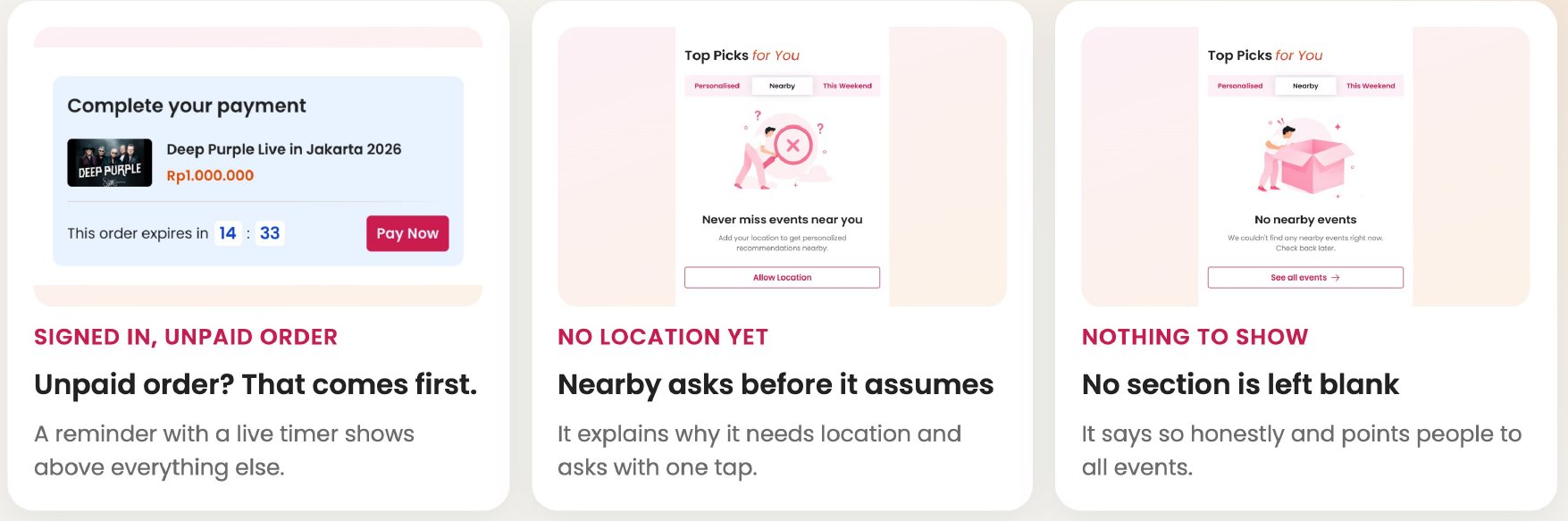
Guests, signed-in buyers and buyers with an unpaid order each see a slightly different page. An unpaid order comes first, with a live timer. Nearby events ask for location before assuming, and no section is ever left blank.
Decide on one screen
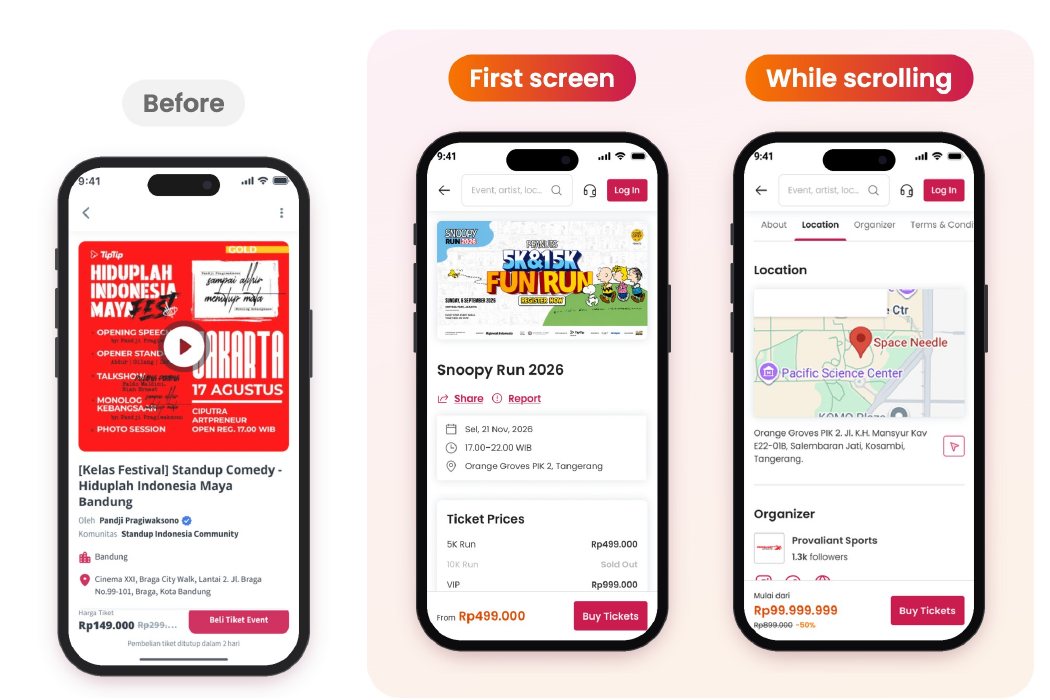
Event Details is where buyers decide if an event is worth their money. Poster, date, place and ticket prices sit up top. Tabs stay pinned and follow the section in view, and the price bar never leaves the screen.
Price first, then the details
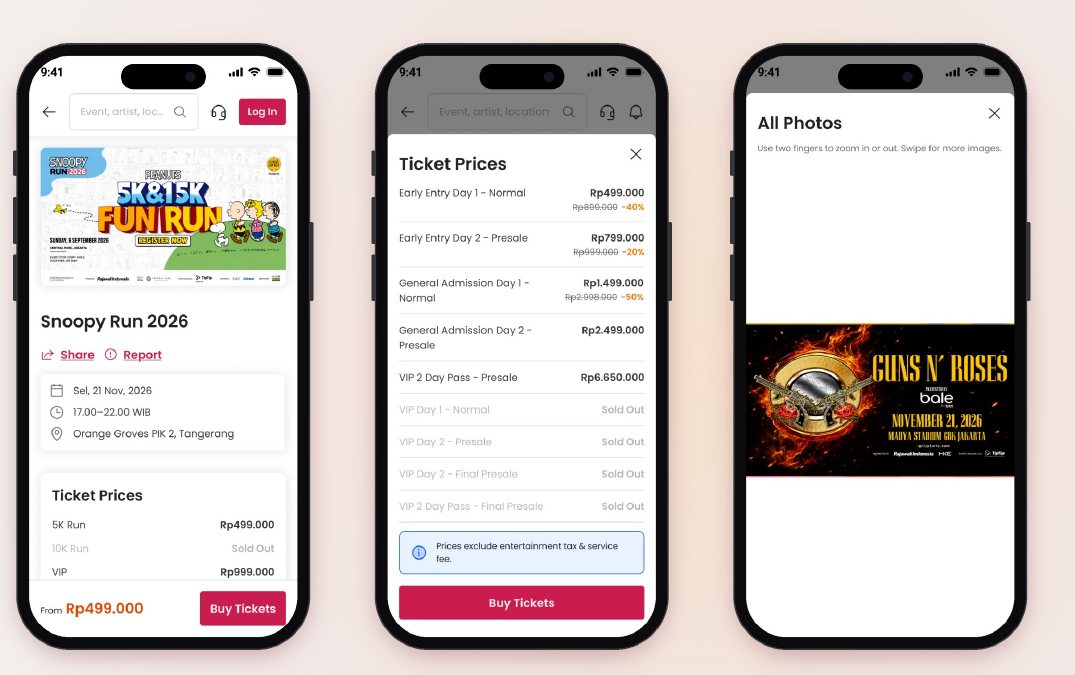
In testing, the first thing buyers looked for was the price. So price and Buy Tickets stay pinned, sold-out tickets are greyed out in one honest list with a tax note, and posters open full size because they carry the lineup.
One page, many situations
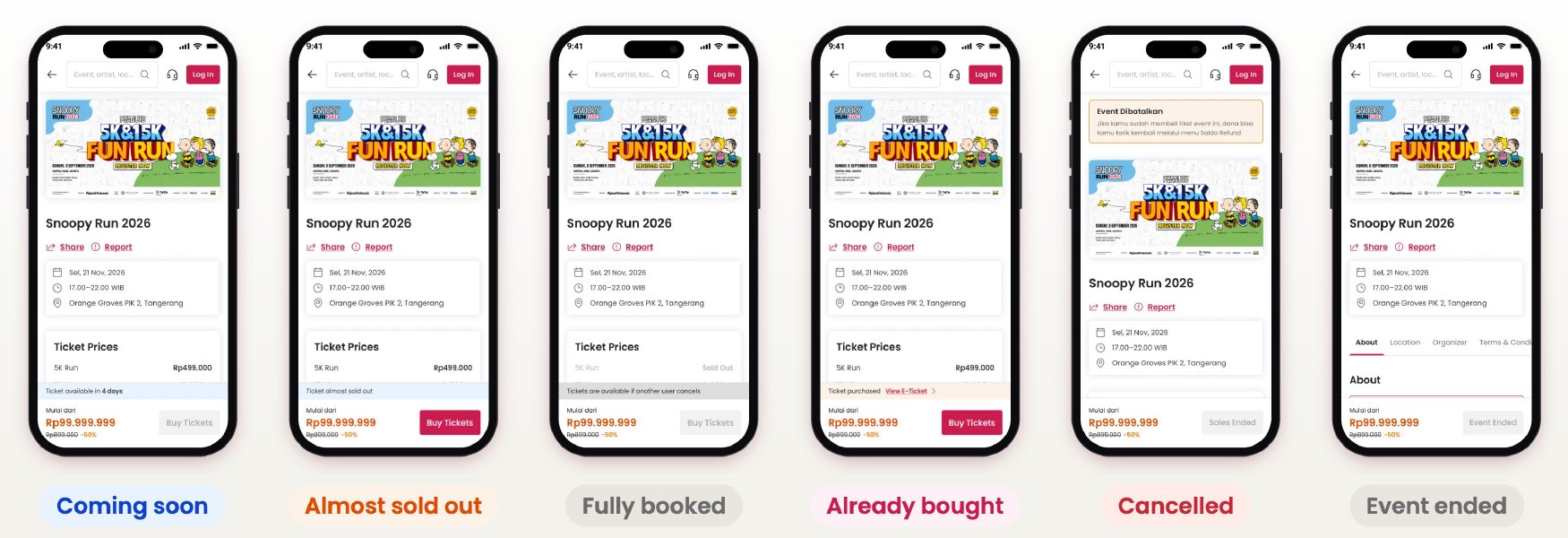
Coming soon, almost sold out, fully booked, already bought, cancelled, ended. Only a small strip and the button change; everything else stays where buyers expect it.
Words are design too
I wrote a UX writing guideline to retire the marketplace words: Produk became Event and Tiket, Kreator became Penyelenggara, Stok became Sisa tiket. Warm by default, calm and plain whenever money, tickets or refunds are involved.
Early signals, and a build that matches the design.
- 8.7 vs 6: test score for the new design against the current site
- 0 of 7 buyers failed the core buying tasks
- 35 of 36 homepage issues on web and 7 of 7 mobile app issues fixed after the build review
- Homepage is built and reviewed; Event Details is in build review now
Most of the work lives in states buyers rarely see.
Testing early was cheap, and it changed real decisions. And renaming a section often fixed more than moving it: words are design.
Next is testing checkout and payment, the one part nobody has tried yet. After launch, I’ll track event page to checkout, and unpaid orders recovered.